SMART ENERGY

MADE SIMPLE

1000

Save

energy

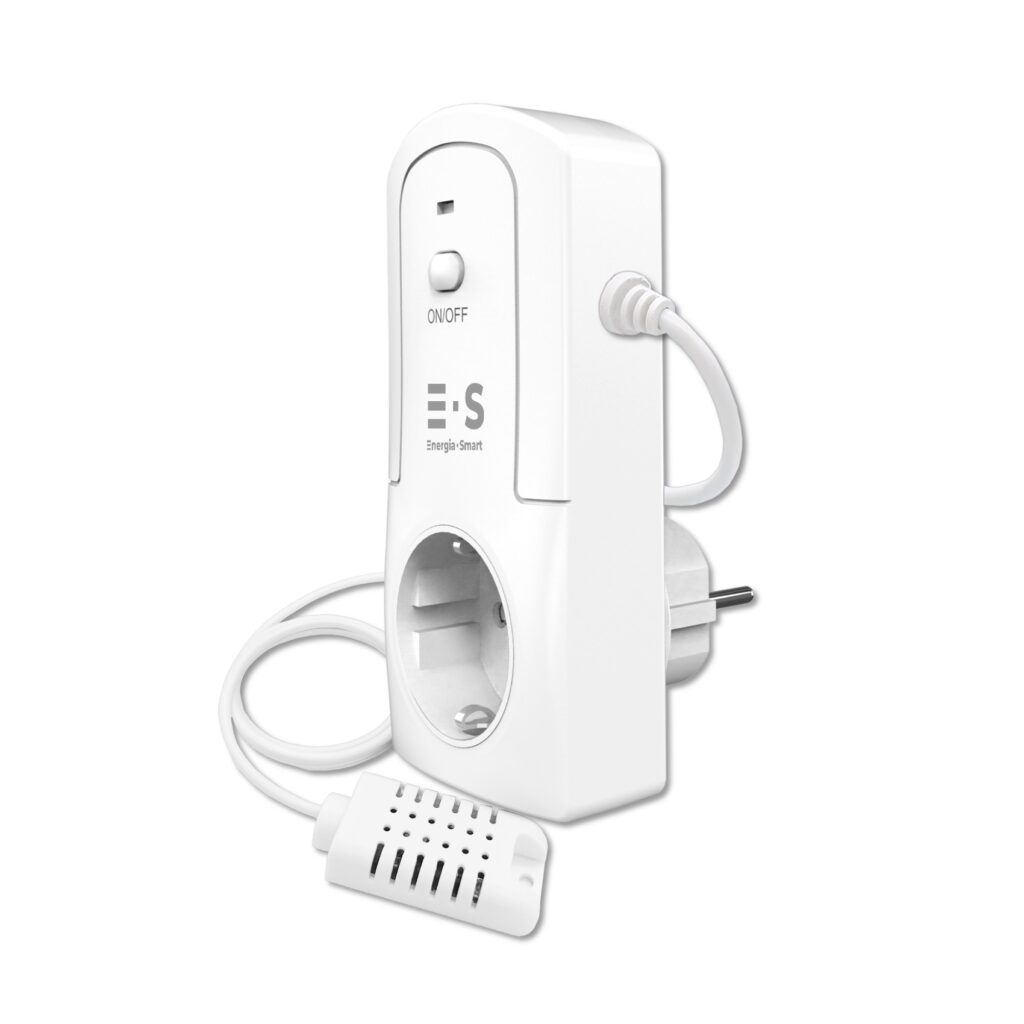
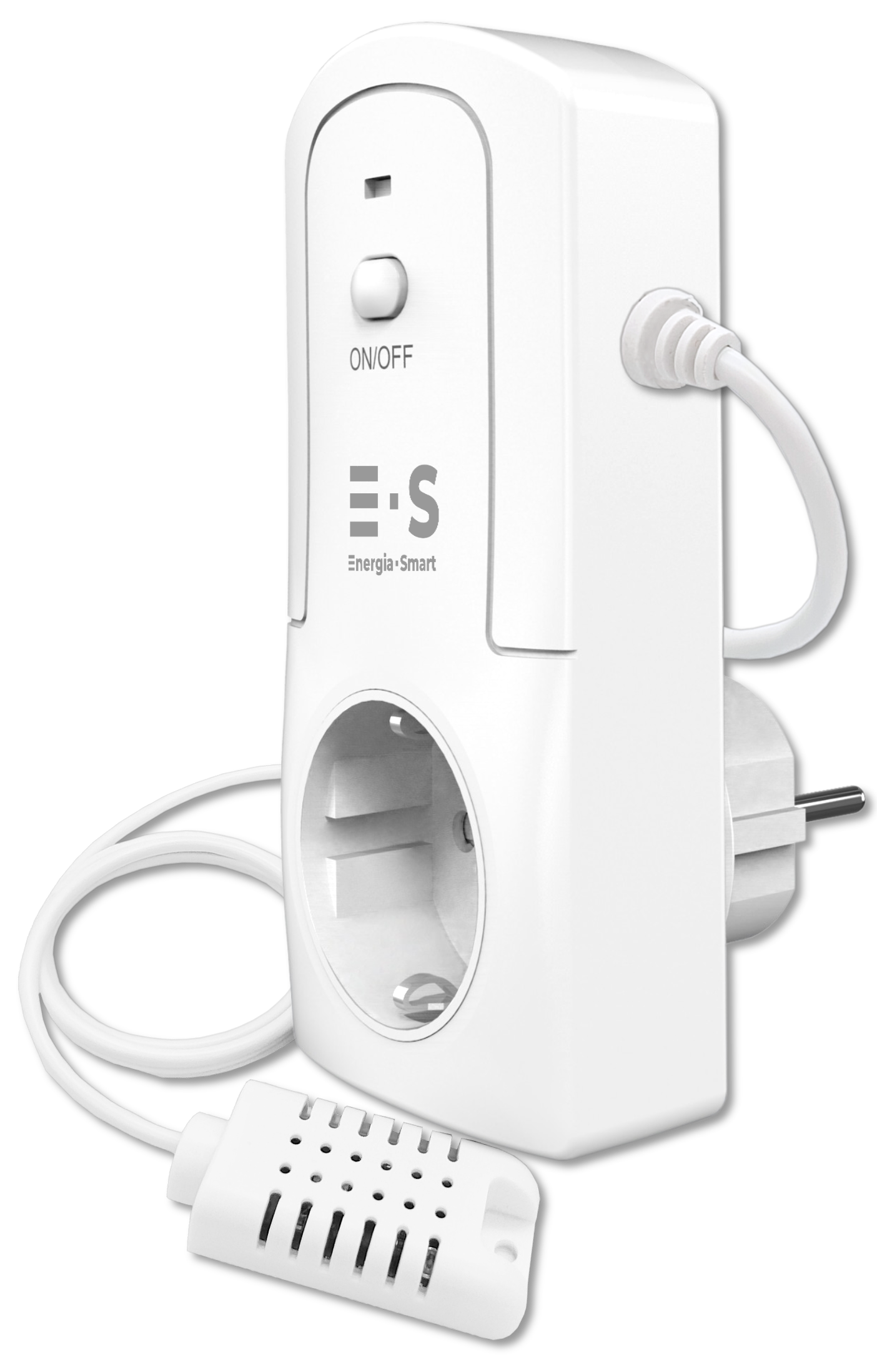
ES1000 is a smart energy-saving socket that helps you control electrical devices efficiently and safely. It operates based on temperature settings or usage conditions you define, and provides clear energy consumption insights in the mobile app.

With precise temperature control, scheduling, and remote control from your phone, devices run when they should and without constant monitoring. ES1000 is a great fit for summer cabins, garages, storage spaces, and home heating.

Built-in overheat protection and a safety-first design ensure reliable operation even during extended use.

Save energy, reduce costs, and keep the space comfortable. Easily and automatically.

Remote control

Overload protected

Power monitoring

Temperature & humidity control

Scheduling

AV230v/50Hz 3600W 16A 2.4GHZ IP20

ES 1000

The ES1000 Smart Socket provides reliable humidity and temperature control, ideal for summer cottages, storage areas, and moisture-sensitive environments.

€79.90

Smart humidistat-thermostat wi-fi socket with power meter (ES 1000) helps maintain optimal humidity and temperature levels in different environments.

Features:
• Humidity control from 1–99%
• Temperature control
• Mobile app control
• Perfect for preventing mold or moisture damage
• Easy setup and operation

A smart and effective way to control humidity and protect your space.

FAQ

The Auto modes on the ES1000 device page (Heating, Cooling, Humidifying, Dehumidifying) support one condition at a time. However, in the Smart Life app’s Scene / Automation Scene / Automation feature, you can create multiple conditions in parallel — allowing ES1000 to be controlled by both temperature and humidity.

For example, you can set:

  • Temperature < +5°C → Socket ON
  • Humidity > 70% → Socket ON

Create a Scene:

  1. Open the Smart Life app.
  2. Go to Smart (Automation) and tap + → Create Scene..
  3. Under When select Device status changesSelect a single device → ES1000.
  4. Select Temperatureset it to Less than 5 °C and confirm.
  5. Under Then add the action: Device → ES1000 → Switch → ON..
  6. Save and name the Scene.

Create another rule the same way:
Humidity > 70% → ON

To avoid unnecessary on/off switching, we also recommend adding OFF rules, such as:

  • Humidity < 65% → OFF
  • Temperature > +7°C → OFF

Important: When using Scene rules, turn off Auto mode on the ES1000 device page. After that, the socket will be controlled only by your Scene rules.
ES1000 uses a high-quality sensor, but small differences between devices are normal. Readings can vary due to placement, airflow, and calibration differences.

If needed, you can calibrate the readings:

  1. Open the ES1000 device page in the Smart Life app.
  2. Tap Settings -button
  3. Select Temperature Calibration or Humidity Calibration.
  4. Adjust using + / – until it matches your reference device.

This is how you adjust the device.

All ES1000 settings, including temperature and humidity thresholds, are saved even if the device is unplugged.

When you plug it back in, it continues operating with the same settings, no need to set it up again

ES1000’s internal temperature and humidity sensor works across a wide range, approximately -40°C to +80°C. The overall operating temperature of the full device may be slightly more limited due to other components.

ES1000 is well suited for most everyday use cases, such as cabins, storage spaces, and other areas where temperature and humidity monitoring matters.

If the Wi-Fi connection drops, ES1000 continues operating using your latest settings and maintains your configured temperature or humidity range as normal.

Without a connection, you can’t control the device remotely or change settings in the app. Once Wi-Fi is restored, the remote control works normally again.